Maybe this is dependent on each mail app, but I wonder if there’s a way to restrict the width of images included there. Looks a little funny in Apple Mail and much worse in Spark.
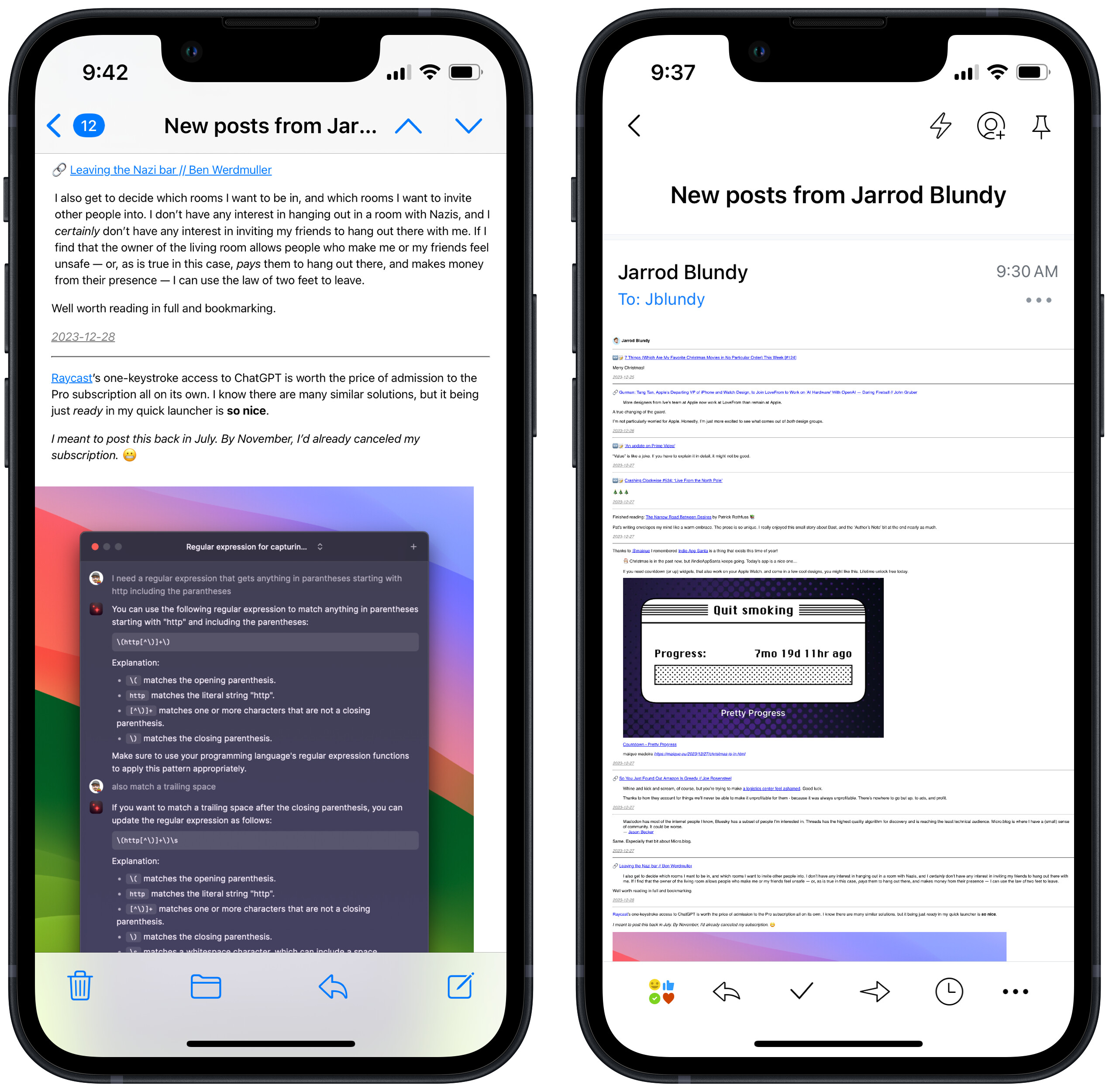
You can add a selector for .microblog_email img in your CSS to set width.

I think. I haven’t messed with it myself.
Hey guys,
I have the very same problem of images size in my newsletter. In my post, I used the following code to resize a picture:
<img (I just put that here for the code to show) src=“https://eu.uploads.micro.blog/346281/2026/couillard-1560x264.png” alt=“Couillard” style=“max-width:40%; height:auto;”>

Of course, the newsletter doesn’t recognize it and sends the images in their original size. I’d be okay if the images didn’t appear at all in the newsletter, but I can’t find a way to do it without erasing all the html code and just send a plain text without formatting.
Is there any way to keep the same images proportions that are in the post OR to just hide the images in the newsletters ?
Other option: I’d be OK with the newsletter just showing the summary of the post. It’d solve the images problem… I know the .Summaryvariable does exist, but i doesn’t send the real “Summary” of the post, just “the first 500 characters or everything before the <!--more--> comment if present”. I’ve set it as a temporary solution but it’s not exactly what I’d wanna do
PS: new here and Micro.blog is an amazing tool, thanks ! And sorry for my poor english, I’m from the froggies land