Post summaries
A summary briefly describes a longer post or gives readers an excerpt before they open it. In the Micro.blog timeline, summaries usually appear below a post’s title and link. Short posts without a title normally show their content instead.
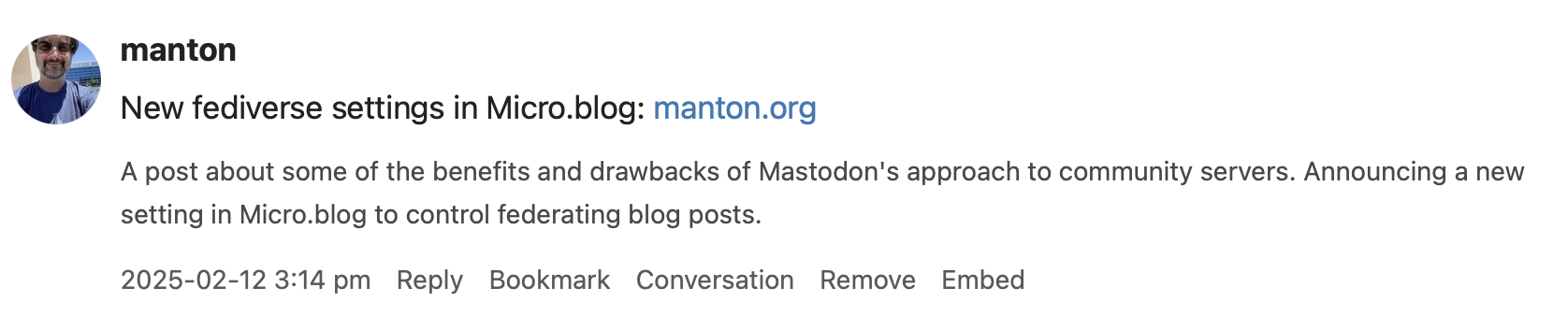
Adding a summary
Choose Show Summary from the post editor’s “…” menu on the web, the View menu on Mac, or the gear menu on iOS. On the web, the summary field is available when composing or editing a post.
Write your own summary, or click Generate to create an AI draft that you can edit. Generate is hidden when AI features are disabled. Hiding the summary field does not clear the saved text; clear the field and save the post to remove its summary.

Summaries and “Read more”
A post can have both an introductory excerpt and a separate custom summary. For example, an essay might open with a story, while its summary briefly describes what the essay is about.
To mark the end of the introduction, put <!--more--> on its own line in the post:
This introduction appears before the reader clicks through.

<!--more-->

The rest of the post continues here.
Themes that support “Read more” can show the introduction on the home page and link to the full post. The introduction remains part of the full post. The divider does not fill in or overwrite your custom summary. When the summary field is visible and the post contains a more tag, the web editor displays a hint about accessing the separate summary in templates.
How the values are used
| Post contains | Hugo .Summary |
.Params.summary |
Default JSON Feed summary |
|---|---|---|---|
| Neither a divider nor a custom summary | Automatically generated excerpt | Empty | Omitted |
Only <!--more--> |
Introduction before the divider | Empty | Omitted |
| Only a custom summary | Custom summary, rendered as Markdown | Custom summary as entered | Custom summary as plain text |
| Both | Introduction before the divider | Custom summary as entered | Custom summary as plain text |
The JSON Feed still includes the full post in content_html. Clearing the custom summary removes its feed field on the next publish. It does not remove the introduction or divider.
Description metadata in the built-in Default, Sumo, and Hello themes prefers the custom summary, falling back to Hugo’s excerpt. Post-list and archive rendering remains theme-dependent. Custom themes and overridden templates may need updating to use the separate value.
Feeds and cross-posting
For a blog hosted elsewhere, include a per-post summary in your JSON Feed and add the feed on Micro.blog’s Sources page. Micro.blog also imports summaries supplied by RSS/Atom feeds. A title is normally needed for the summary to appear in the timeline.
Custom summaries are also used in some cross-posting formats for titled posts. The exact presentation depends on the destination service and its length limits.
Using summaries in templates
Micro.blog saves the custom summary separately from the post body and publishes it in the Hugo front matter:
summary: "Your summary text here."
custom_summary: true
The boolean custom_summary lets themes and plug-ins distinguish your summary from an excerpt generated by Hugo. It is also true for a summary created with Generate. When the summary is empty, Micro.blog sets custom_summary to false; the default JSON Feed only includes summary when a custom summary is present.
Hugo’s .Summary prioritizes the more divider over front matter. To render the custom summary instead, use:
{{ with .Params.summary }}
  {{ . | markdownify }}
{{ end }}
For a plain-text description with an excerpt fallback:
{{ $description := .Summary }}
{{ with .Params.summary }}{{ $description = . | markdownify }}{{ end }}
<meta name="description" content="{{ $description | plainify | htmlUnescape }}">
Newsletter and image-style templates also expose .Params.summary and .Params.custom_summary. Their existing .Summary behavior is unchanged: a more divider selects the introduction. Without one, newsletters use a shortened post and image styles use the custom summary or a shortened post. To prefer the separate summary in either kind of template:
{{ if .Params.custom_summary }}{{ .Params.summary }}{{ else }}{{ .Summary }}{{ end }}
Use that snippet in the current post’s context (inside range .Pages for newsletters). These lightweight Go templates escape the custom summary as text. They do not provide Hugo’s markdownify function.
For new posts, use the exact <!--more--> spelling with ordinary hyphens. Ruby’s newsletter and image-preview processing still accepts the legacy <!-- more --> spelling and HTML-escaped forms for compatibility, but Hugo and individual themes may not recognize those variants.