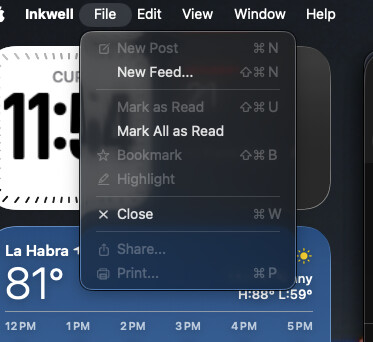
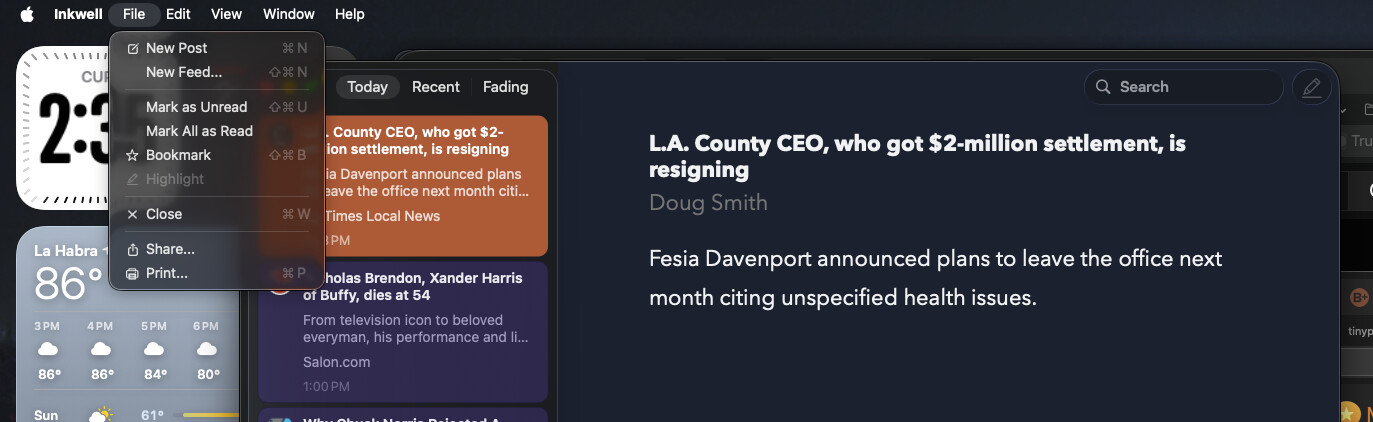
I’d been using Micro.blog web as a Safari PWA for the better image uploading and better post image placement. I started using Inkwell with this arrangement, and it worked fine. I installed a fresh copy of the macOS app today, but now the New Post function isn’t available in Inkwell. Is this a bug or did I miss something?
Well, damn! For some reason it is working now. Can’t explain that. Have tried to post on several articles and the New Post function was not available. Now it is. Funky. Thanks!
Ok, I have an update on this issue. I haven’t tracked down the exact mechanics, but it seems that if you press ENTER to read an article, then go back, the item is marked as read and no way to select it again to create a new post, even though the article remains in the reading panel. I’ll tag @manton to have a look.
Interesting. Thanks for explaining this, but I still can’t reproduce it. I have found a related issue where if you mark the current item as unread, then New Post is disabled. Maybe that’s what is happening? I’ll fix that for the next update.
Post-update, when I open the article to read in Safari, it now stays in the article list and New Post works. Even though I just use the keyboard shortcut, I noticed the New Post icon in the reader pane is inactive. Then I realized that it’s not a New Post icon, but the Highlighter
It looks like holding the selection until New Post has been called works whereas it was hiding the article once moving focus to the browser before. Thanks!