Okay.
Here’s what I did.
I initially signed up on micro.blog as gdi.micro.blog.
Then I got a domain name from another hosting service, dynadot: grimmdrewit dot com.
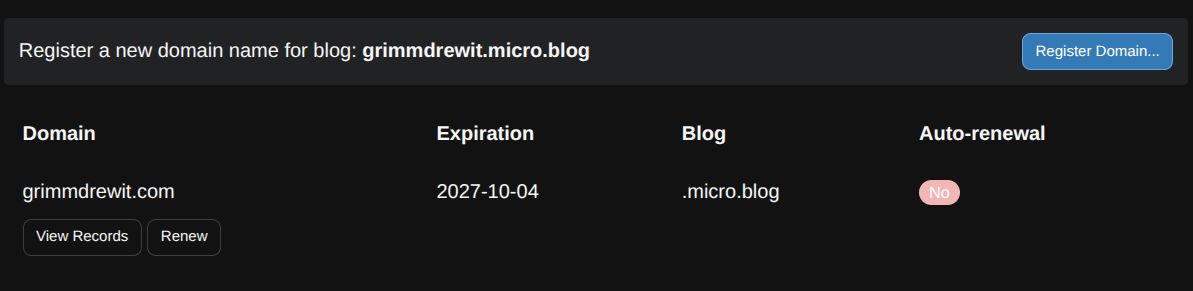
Then I transferred grimmdrewit dot com over to gdi.micro.blog, but I couldn’t figure out how to completely point it to my site.
while fiddling around with A and CNAME, I realized I had registered grimmdrewit dot com to gdi.micro.blog. That’s not what I wanted. Can I rename gdi.blog?
It didn’t seem that I could rename a micro.blog account blog, so I made a new one: grimmdrewit.micro.blog.
Then I deleted gdi.micro.blog, before I had transferred the domain I wanted, grimmdrewit dot com, over to grimmdrewit.micro.blog.
Oops. Dangit, I shouldn’t have done that. It had warned me and everything, I just wanted to see if I could fix this error on my own without paying another $25 dollars or asking a stranger for help because the internet and micro.blog help page wasn’t giving more clues. Next time, ask a stranger for help. 
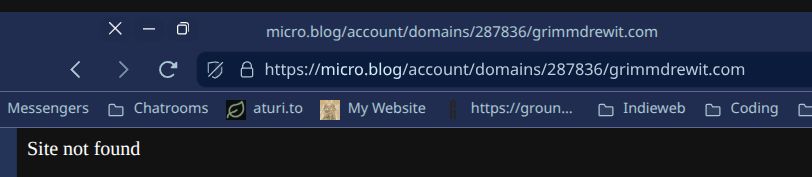
Now I can’t access the page where I could unlock grimmdrewit dot com, get an auth pass, and spend another $25 dollars to transfer it to the micro.blog account I want it to work with. (grimmdrewit.micro.blog.)
I’m way out of my depth. Pointing a domain name to a site is, in and of itself is already a process I barely understand at this stage of learning, and every time I do get it right I feel like I just got lucky with wherever I copied and pasted the numbers. I know I’ve really, really messed up this process.
I really hope I haven’t messed this up forever, I was so happy to find a .com domain name that’s correct for me. Help?
Graham